You can target campaigns based on the gender/age of customer's walking past your stores/displays using Personalisation Hub's built-in computer vision capability.
Vision requires that you have a webcam connected to the display. The computer vision model runs at the Edge (no sensitive data leaves the local device/player).
Example: You have offers targeted at a male/female audience. Ensuring these are updated in near real-time will drive more footfall into your stores.
Please Note: The platform can also run your custom computer vision models at the Edge. The complexity of the model supported is hardware dependent. Please raise a support ticket for assistance with this (mailto:support@personalisationhub.com).
1. Walk-through Video Guide
2. Step-by-Step Guide
- Open the Campaign that you want to Target (.../hq-admin/campaigns)
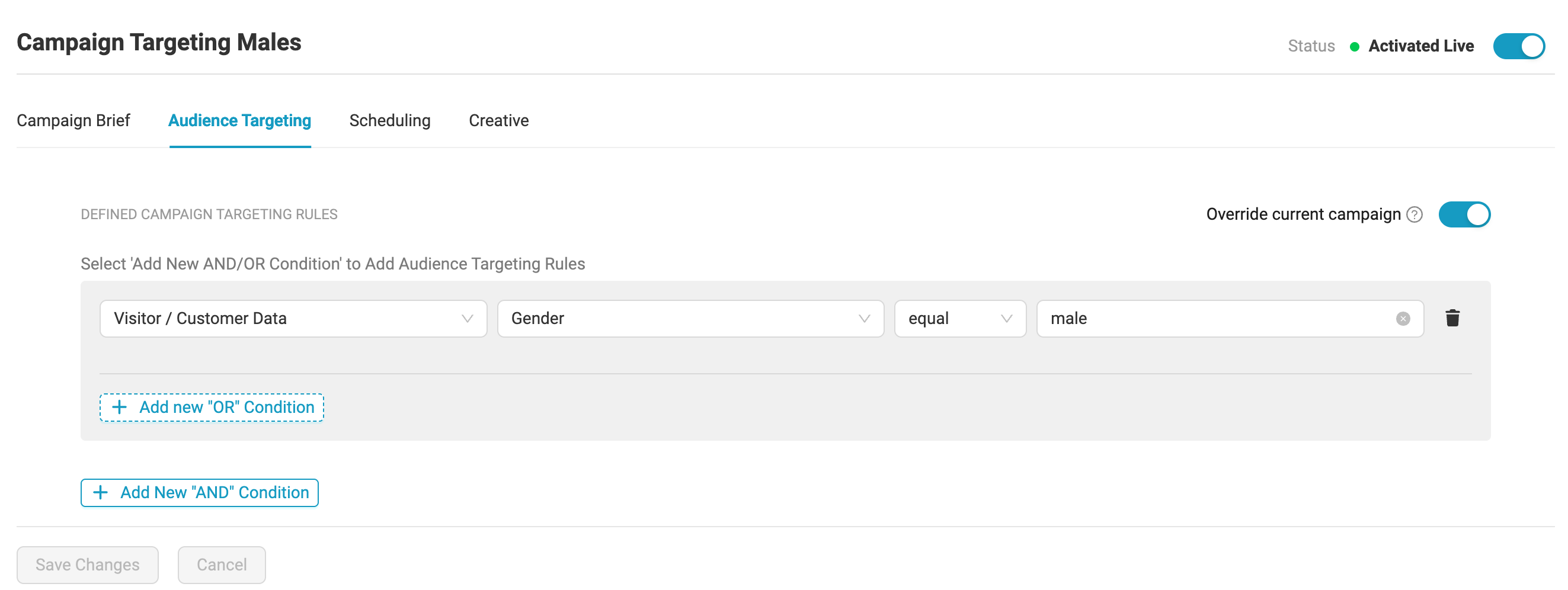
- Select the 'Audience Targeting' Tab
- Add a New Targeting Rule by selecting [+ Add New 'AND' Condition]
- Select the 'Visitor / Customer Data' from the First Drop Down Menu
- Select 'Gender' from the Second Drop Down menu
- Select 'equal'
- Add the Gender (use either 'male' OR 'female')
- Select 'Save Changes'
- Next you need to Enable Vision on the respective device/display
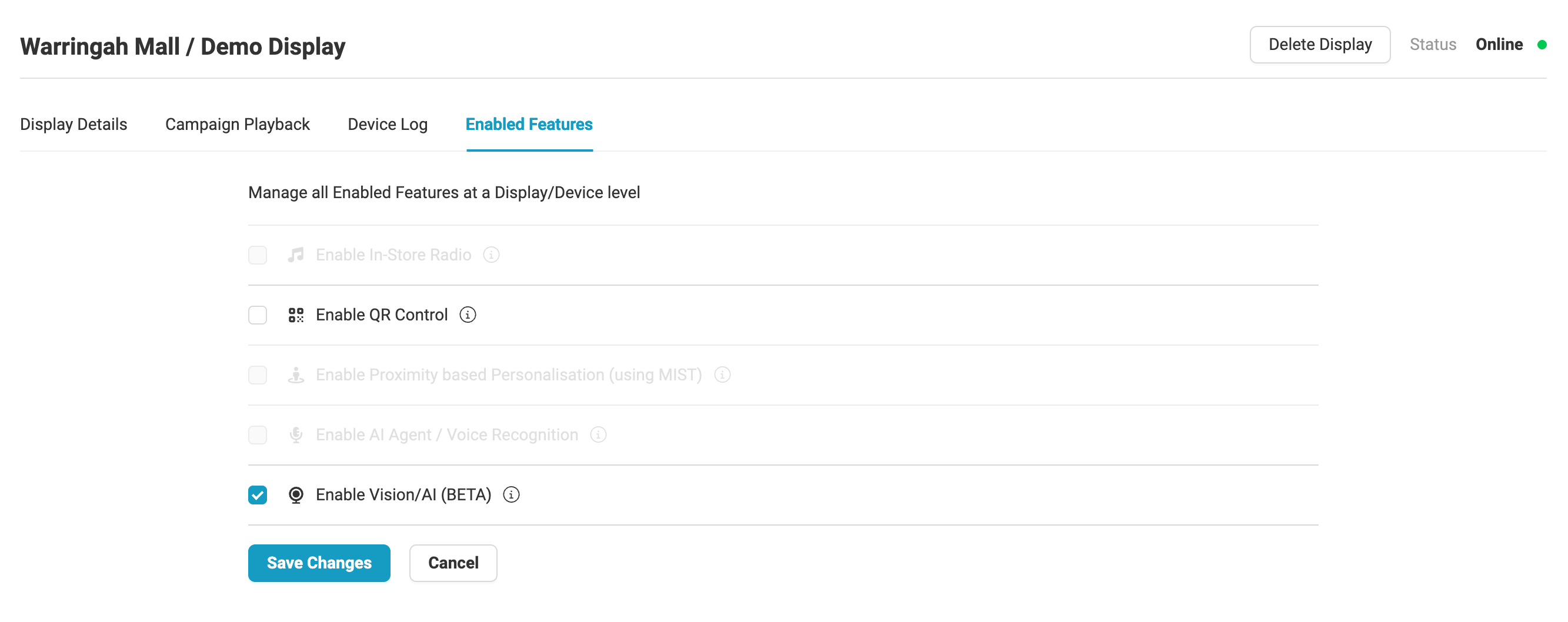
- Navigate to the 'Displays & Devices' section (.../hq-admin/displays-and-devices/assigned-devices)
- Click on the Name of the Display/Device that you wish to enable vision on
- Select the 'Enabled Features' Tab
- Tick the 'Enable Vision/AI' checkbox
- Press 'Save Changes'
Was this article helpful?
That’s Great!
Thank you for your feedback
Sorry! We couldn't be helpful
Thank you for your feedback
Feedback sent
We appreciate your effort and will try to fix the article